LatinCalendar
The Roman dating system can be quite confusing. To make it more familiar, I wrote LatinCalendar to display the Roman short date in the menu bar. Because it is a Roman dating system it uses the Gregorian calendar.

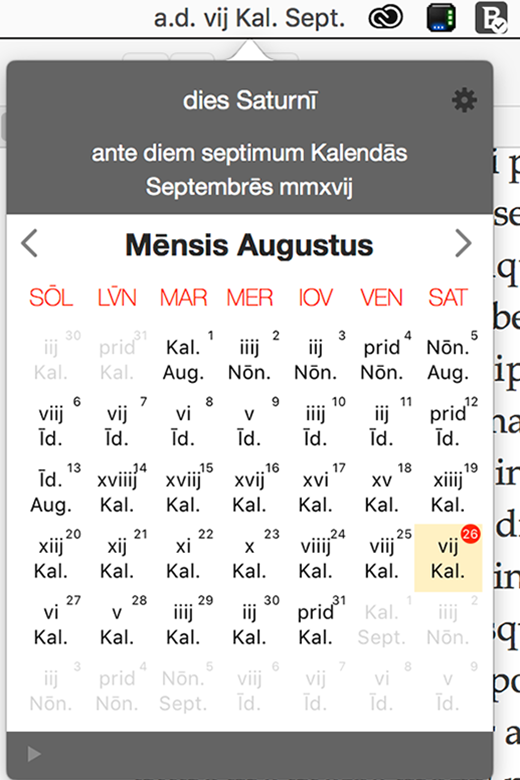
Clicking the menu displays the the calendar in Roman format.
The full form of the currently selected Roman date is shown in the header.
Clicking the arrow button scrolls from month to month. Clicking on a day will display the full name of the day and the day of the week in the header.
Menu
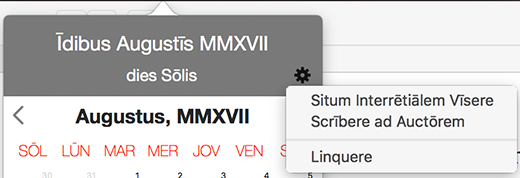
You can quit the application, visit the website or email the author through the options in the action icon.
Latin Menus
To see the menu choices in Latin you will need to make Latina your Primary Preferred Language. This video clip shows how to do this.
Preferences
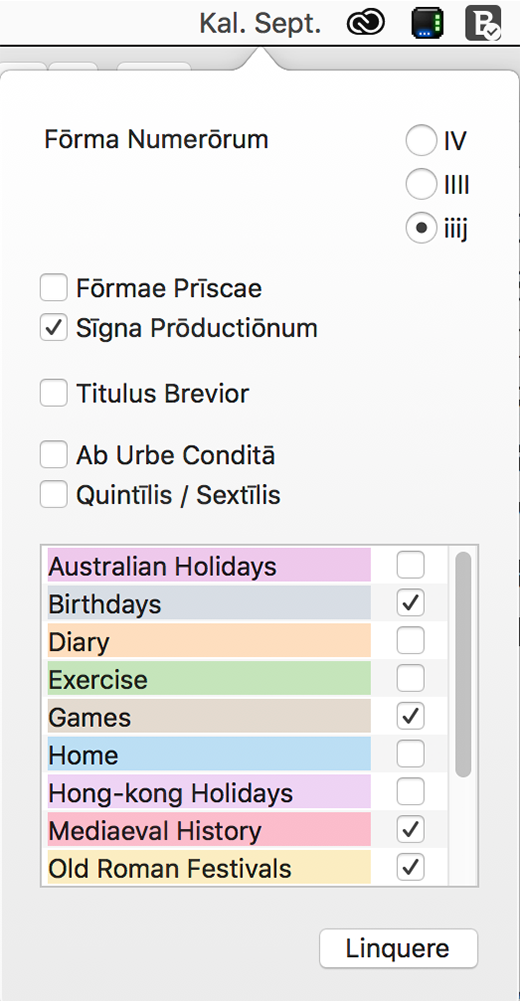
You can change the preferences of the application by right clicking on the menubar.
Here you can choose the form of roman numerals you wish to display, to display the date as Ab Urbe Condita, use archaic word forms, use the republican month names, to show the date in the menu bar as a small icon, and to show or omit macrons.
You can also select calendars from which you wish to have events shown in the main calendar window.
Calendar Events
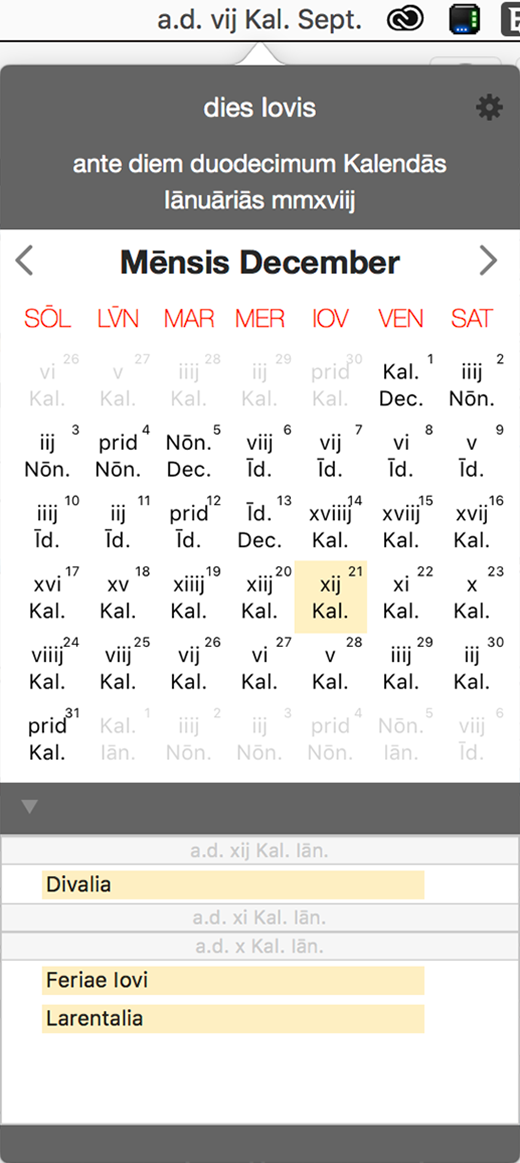
If you have selected any calendars in the preferences window the disclosure triangle at the bottom left of the main window will become visible. Clicking on this will display any events from your selected calendars for the next three days.
If you place an applescript with the name ShowCalendar.applescript in the use scripts folder this will be triggered by double clicking on one of the events. The scripts folder can be found at ~/Library/Application Scripts/hk.cinder.LatinCalendar
The script is called with one parameter, being the date of the event.
Scripts
Here is an example script which will open Calendar when an event is double-clicked. This video shows how to place it in the user scripts folder.
Calendar Files
Some ics files with events from Religion und Kultus der Römer are linked to below.
Changes in 1.3.4
- Compiled for Mac Silicon
- Liquid Glass icon