LatinCalendar for iOS
Roman dates, made easier to understand
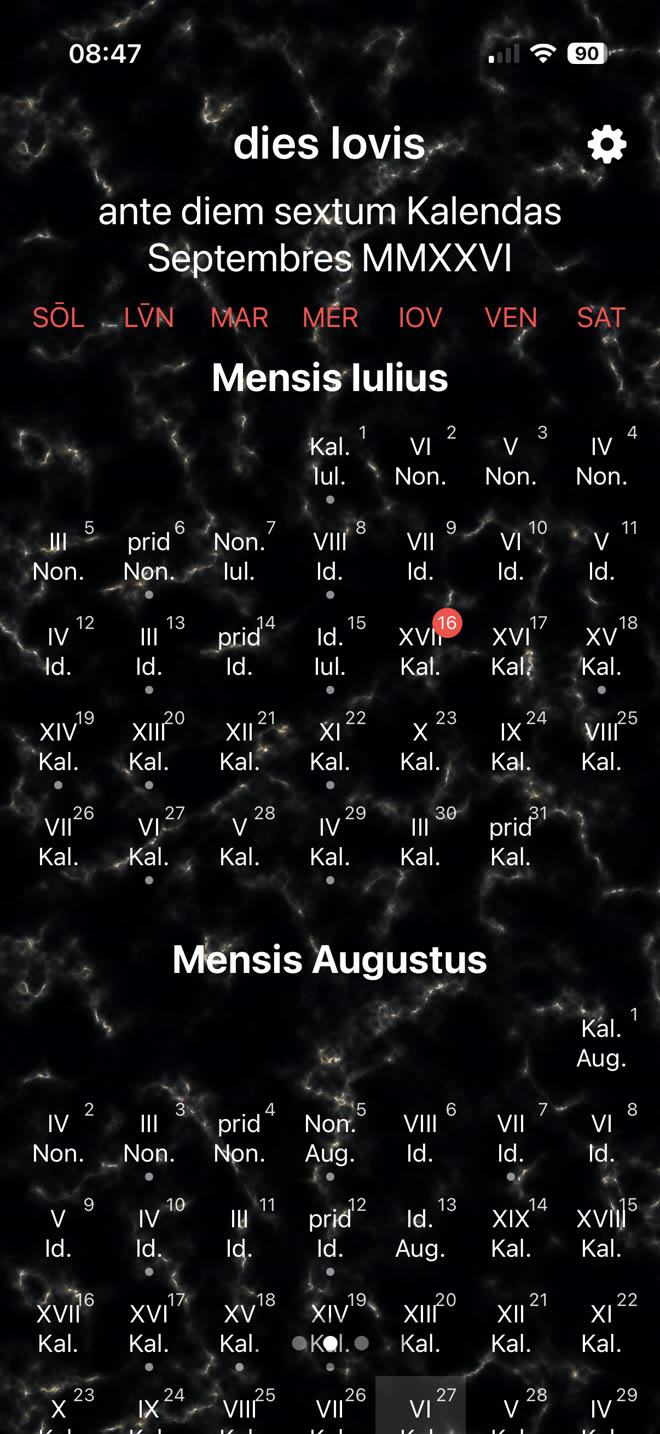
The Roman dating system can be quite confusing. LatinCalendar displays Roman and modern dates in a calendar format, and also as a widget on the lock screen.
If a timed event is present on a day, a dot appears beneath it. A long press on any day takes you to that date and shows any timed events.
Roman hours
Time from sunrise to sunset
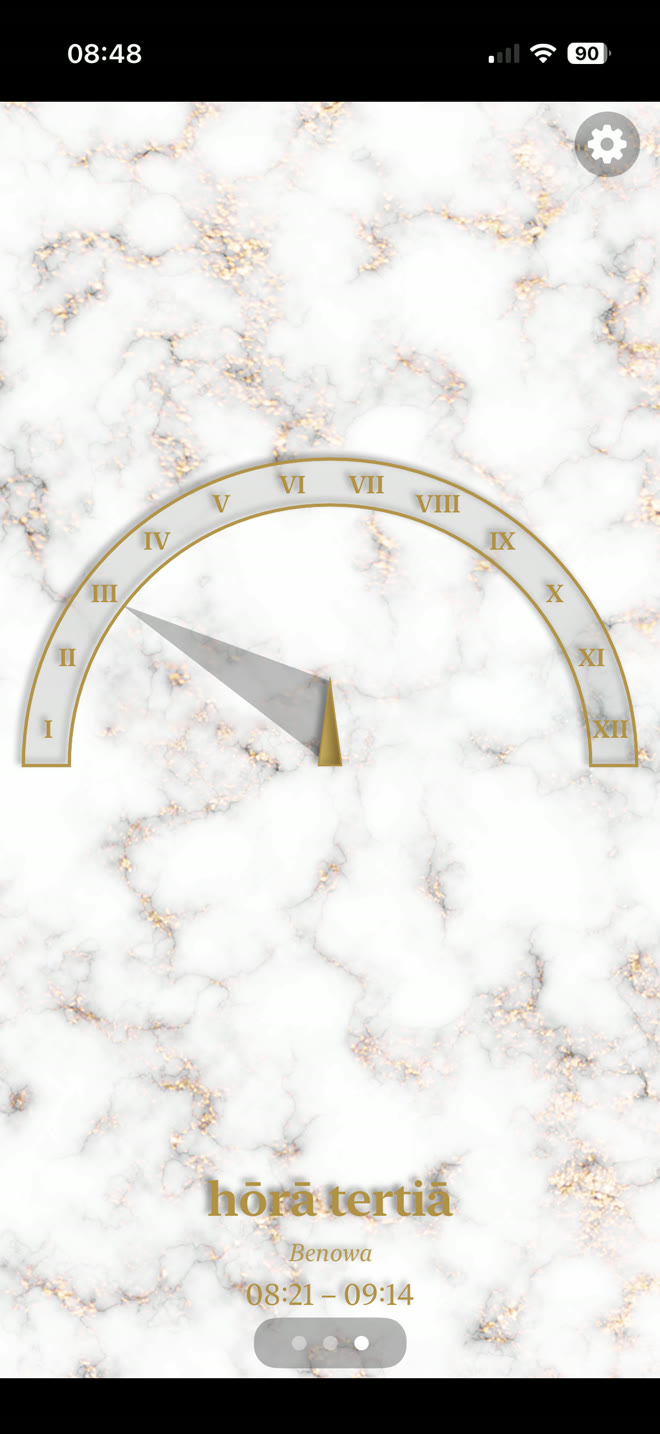
The Romans counted their hours from sunrise to sunset, so the length of an hour varied according to the time of year and location.
Swipe right on the main screen to see the Roman time at your location, if you allow the app to determine it. Otherwise, LatinCalendar shows the current Roman time in Rome.
After sunset
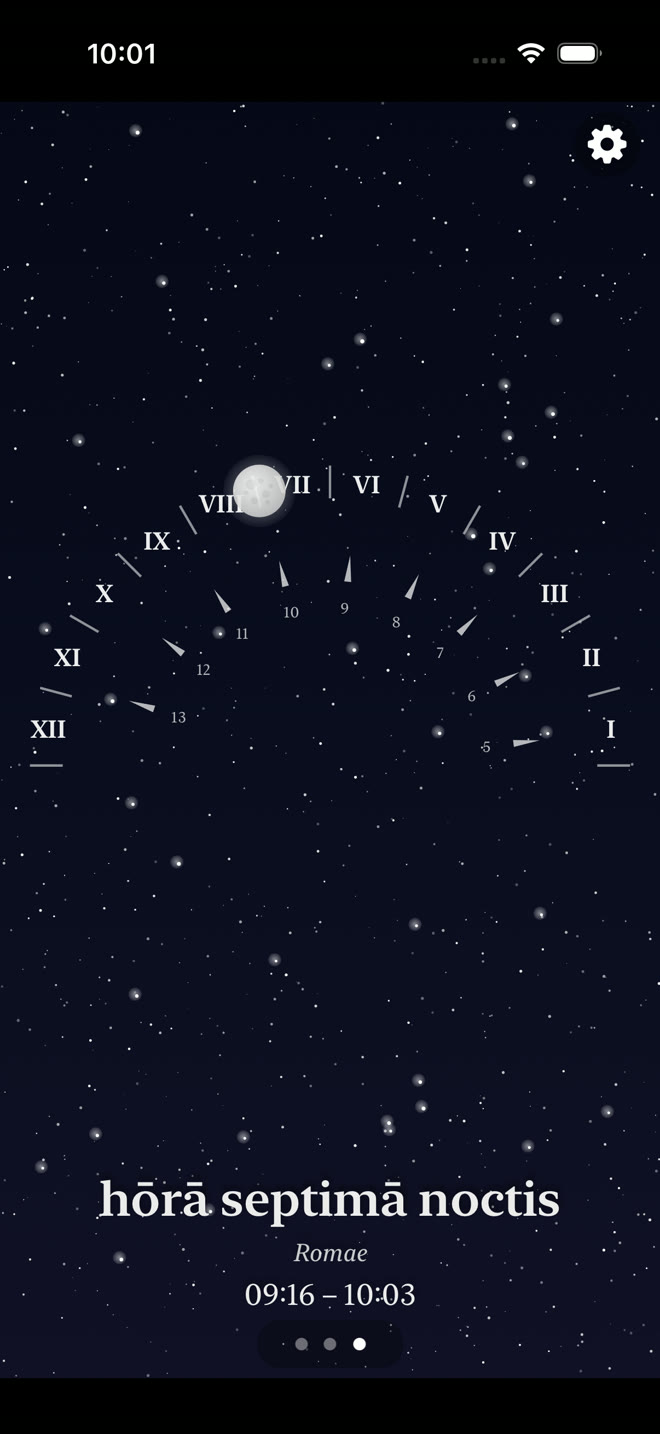
Hours and watches at night
At night, the Romans used twelve hours, or four watches. After sunset, the app shows the hours or watches against a simulated night sky. The numbers on the inside show the modern hours.
Modern time
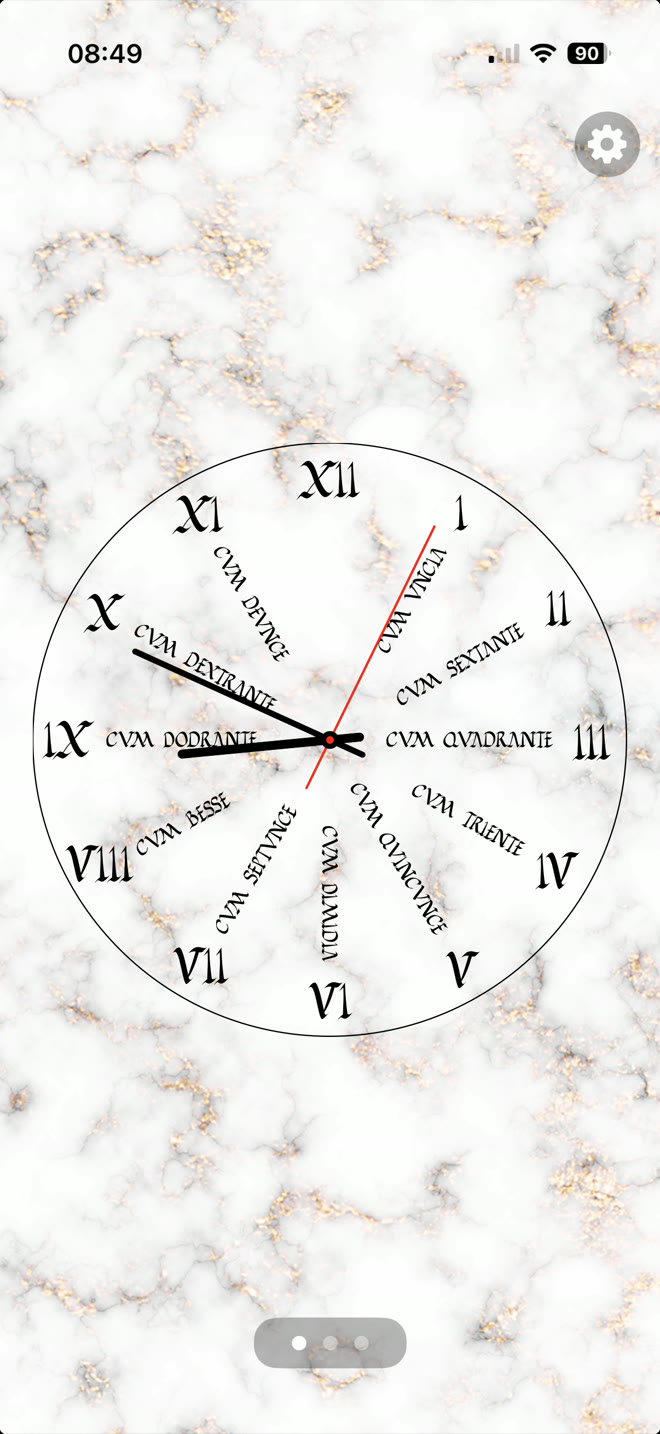
A clock with modern names for the time
Swipe left on the main screen to see a clock labelled with modern names for each part of the hour.
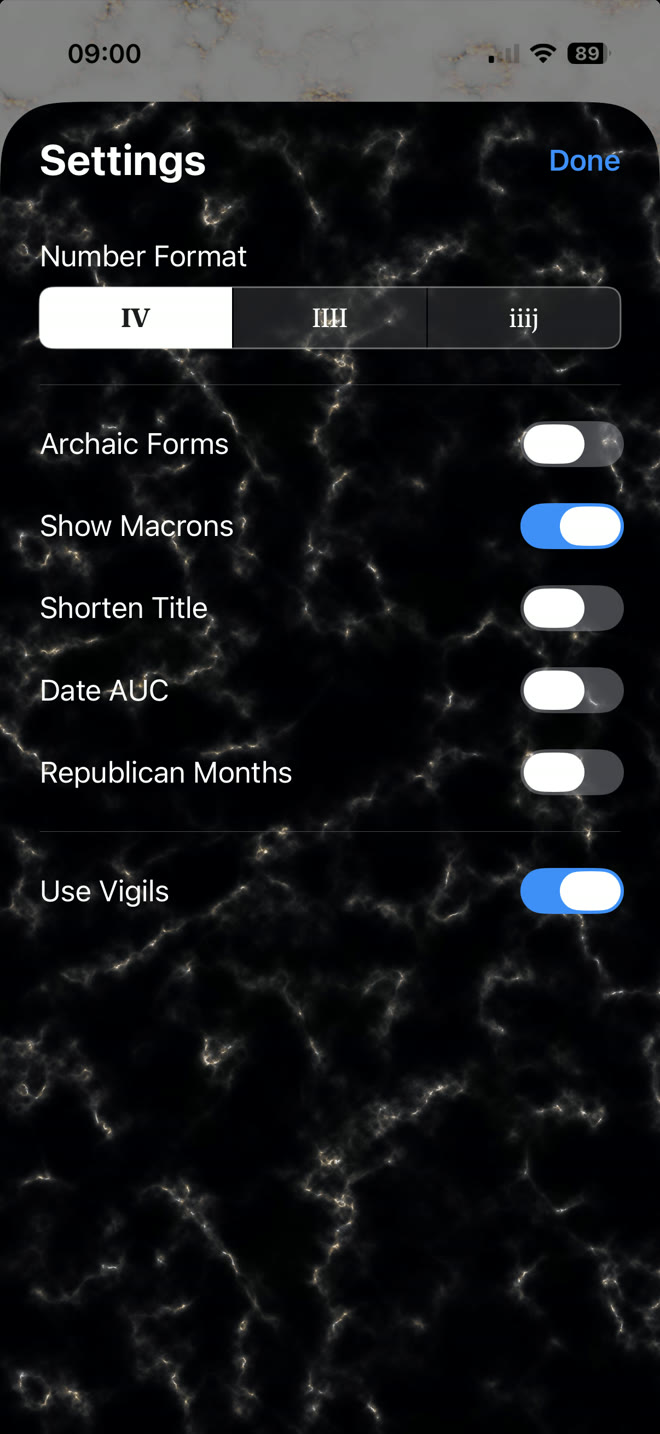
Personalisation
Choose how dates appear
Change the appearance of the app from the Settings screen, including numeral formats, archaic forms, macrons, shortened titles and Republican month names.
The app is localised in English and Latin. To see its menus in Latin, set Latina as a preferred language under Language & Region in the Settings app.
Suggestions
Use the Email Developer menu in the app to send suggestions or feedback.